Free
Free
- Add, reorder, put on hold, and complete tasks
- First steps, with examples to choose from
- Timer, pause, and one-line resume notes
- Notifications, data export and deletion (with ads)
An everyday tool for starting and resuming
For days when getting started takes forever, and days when you stop halfway. One at a Time narrows things down to a single task, then helps you take a small first step and pick up right where you left off.
Core features are free. No sign-up, and your data stays on your device.
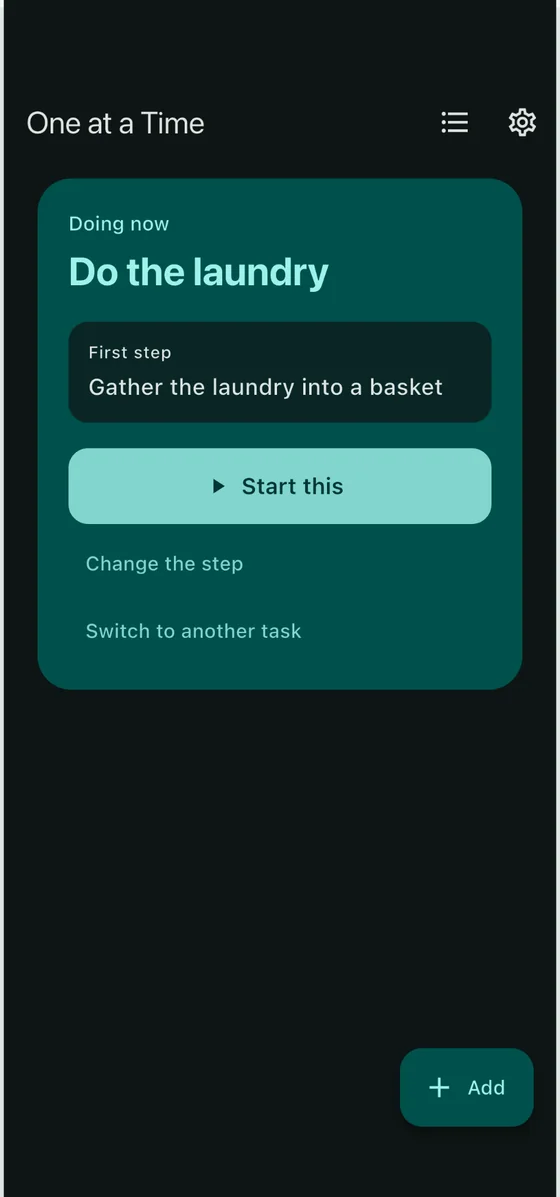
There's so much to do, you can't tell where to begin
Home shows just one thing under “Doing now.” Jot everything else down and swap it in whenever you like.
Getting started takes a long time
Pick a small, physical first step, like “Throw away one piece of trash in front of you,” and start from there.
After an interruption, you can't remember where you were
Your progress stays even if you close the app. Leave a one-line resume note and you can jump right back in next time.
Cross one stone at a time. It's fine to skip a stone or step back.
Just a task name is enough. You can pick from examples or use your keyboard's voice input.
One small action, like “Open the file.” You can also start without choosing one.
Use the timer as a guide if you want. When time's up, the task isn't marked done — you choose to keep going or take a break.
Tap “Pause” to leave a one-line note. Next time, you can resume from your last step and note.
Rather than asking you to keep a streak, it makes coming back easy.
All the core features are free. If you'd like to save the routines you use often, there's a one-time Plus purchase.
Free
One-time purchase (no monthly fee)
Prices shown in each store are final. Templates and task sets are stored on your device, so restoring a purchase does not bring them back. Use “Export data” to save them if needed.

It's fine to skip days. Whenever you open the app is a good time to pick back up.